 Zhongshan city HaiShang Electric Appliances Co,. Ltd
 EN
EN



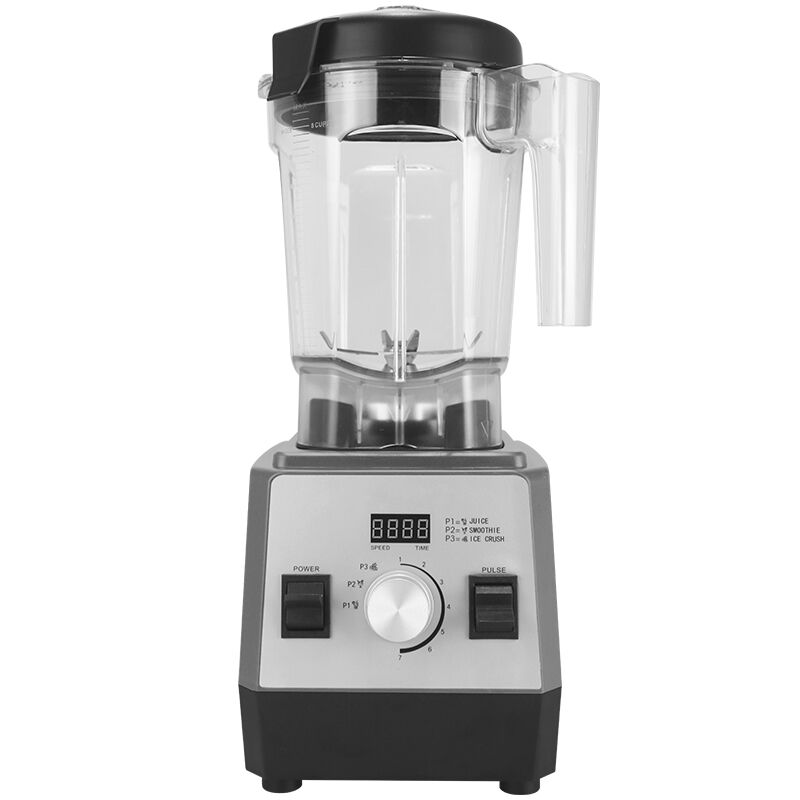
Choosing the right Digital Blender for your kitchen or food production environment is not simply a matter of picking the most powerful motor or the sleekest design. A Digital Blender is a precision tool, and its value lies in the specific functions it offers — functions that determine how consistently, safely, and efficiently it performs across a wide range of blending tasks. Before making a purchasing decision, it is essential to understand which functional features actually matter and why they make a measurable difference in daily use.
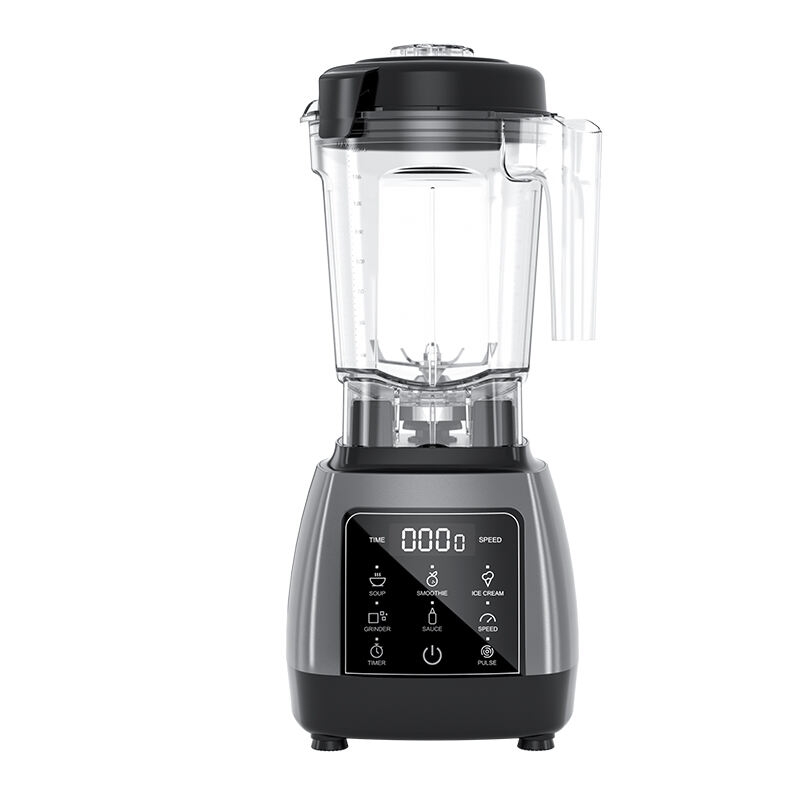
A Digital Blender differs from a conventional blender primarily in how it processes and communicates operational data. Digital controls, programmable settings, and sensor-driven feedback systems give users a level of precision that analog dials simply cannot match. Whether you are operating in a commercial kitchen, a food processing facility, or a professional catering environment, understanding the key functions of a Digital Blender will help you select a unit that genuinely fits your workflow and quality standards.
Digital Control Interface and Speed Precision
Touchpad and Display Responsiveness
The control interface is the primary point of interaction between the operator and the Digital Blender. A well-designed touchpad should respond immediately to input without requiring excessive pressure or repeated taps. Delayed or inconsistent response from the control panel is a sign of poor sensor quality and will lead to operational frustration over time, particularly in high-volume environments where speed and accuracy are critical.
The digital display should clearly show the current speed setting, timer countdown, and any active program mode. Readability matters — a display that is difficult to read under bright kitchen lighting or at an angle reduces the operator's ability to monitor the blending process accurately. Look for a Digital Blender with a high-contrast display and intuitive icon layout that minimizes the learning curve for new users.
Some Digital Blender models also include backlit displays or LED indicators that provide at-a-glance status information. These small design details contribute significantly to usability in busy professional settings where operators cannot afford to stop and study the machine during service.
Variable Speed Control and Incremental Adjustment
One of the defining advantages of a Digital Blender over analog alternatives is the ability to set and hold precise speed levels. Variable speed control allows the operator to move through a defined range of RPM settings in controlled increments rather than relying on broad low-medium-high categories. This precision is particularly important when processing ingredients that require gentle handling at the start of the blend cycle before transitioning to higher speeds.
A Digital Blender with fine-grained speed increments gives the operator the ability to replicate results consistently across batches. In food production environments, this consistency directly affects product quality and customer satisfaction. When evaluating a Digital Blender, test whether the speed transitions are smooth and whether the motor maintains the selected speed under load without drifting.
Programmable Preset Functions
Built-In Blending Programs
A high-quality Digital Blender typically includes a set of factory-programmed blending cycles designed for common tasks such as smoothies, soups, ice crushing, and emulsification. These presets automate the speed and timing sequence so that the operator does not need to manually adjust settings during the blend. The value of these programs lies in their ability to deliver repeatable results without requiring the operator to monitor the machine throughout the cycle.
When evaluating preset programs in a Digital Blender, consider whether the programs are genuinely optimized for the tasks they claim to handle. A smoothie program, for example, should begin at a lower speed to incorporate ingredients before ramping up to full power, then potentially pulse to break down remaining chunks. A program that simply runs at full speed for a fixed duration does not represent true optimization and may produce inconsistent results.
The number of available presets is less important than the quality and relevance of those presets to your specific use case. A Digital Blender with five well-designed programs will outperform one with twelve poorly calibrated options in a professional setting.
Custom Program Storage
Beyond factory presets, the ability to save custom blending programs is a significant functional advantage in a Digital Blender intended for professional use. Custom programs allow operators to encode their own speed sequences, timing intervals, and pulse patterns into the machine's memory, creating a standardized process that any team member can execute with a single button press.
This function is especially valuable in environments where multiple operators use the same Digital Blender across different shifts. Custom program storage eliminates variability introduced by individual technique differences and ensures that every batch meets the same quality standard. When assessing this feature, check how many custom programs the unit can store and how straightforward the programming process is.
Timer Function and Automatic Shutoff
Precision Timing for Consistent Results
The timer function in a Digital Blender is more than a convenience feature — it is a quality control mechanism. By setting an exact blend duration, operators ensure that every batch receives the same processing time, which directly affects texture, consistency, and ingredient integration. A Digital Blender without a reliable timer forces operators to rely on manual judgment, which introduces variability that is difficult to control in a busy environment.
Look for a Digital Blender that allows timer settings in small increments, ideally down to one-second intervals. This level of precision matters when working with delicate emulsions or heat-sensitive ingredients where over-blending can degrade quality. The timer display should count down visibly so the operator can track progress without needing to stand directly in front of the machine.
Automatic Shutoff and Safety Integration
Automatic shutoff at the end of a timed cycle is a standard expectation in any professional-grade Digital Blender. However, the quality of this function varies. A well-engineered Digital Blender will stop the motor cleanly at the end of the cycle without coasting or abrupt mechanical stops that could stress the motor over time. The shutoff should also trigger an audible or visual alert so the operator knows the cycle is complete.
Beyond cycle completion, a Digital Blender should include thermal protection that automatically shuts off the motor if it reaches an unsafe operating temperature. This protects both the machine and the operator, and it is a non-negotiable safety function in any unit intended for continuous or high-volume use. Verify that the thermal protection system resets automatically after a cool-down period rather than requiring a manual reset that could interrupt workflow.
Motor Performance and Load Sensing
Motor Power and Sustained Output
The motor is the core of any Digital Blender, and its rated wattage gives a baseline indication of processing capability. However, peak wattage figures can be misleading. What matters more in a professional context is the motor's ability to sustain output under load — that is, when processing dense or fibrous ingredients that place significant resistance on the blade assembly. A Digital Blender with a strong sustained output rating will maintain consistent blade speed even when the jar is loaded with tough ingredients.
When evaluating motor performance in a Digital Blender, look for specifications that describe continuous duty ratings rather than peak ratings alone. A motor that can sustain its rated output for extended periods without overheating is far more valuable in a commercial setting than one that achieves high peak numbers but throttles back under real-world load conditions.
Load Sensing and Adaptive Speed Control
Advanced Digital Blender models incorporate load sensing technology that monitors the resistance on the motor in real time and adjusts blade speed accordingly. When the motor detects increased resistance — such as when a large piece of frozen fruit enters the blade zone — the system automatically compensates to maintain the target processing speed. This adaptive behavior produces more consistent results and reduces the risk of motor strain.
Load sensing also contributes to energy efficiency. Rather than running the motor at full power throughout the entire blend cycle, a Digital Blender with adaptive speed control applies only the power needed at each moment. Over time, this reduces energy consumption and extends the operational life of the motor. This is a function worth prioritizing if the Digital Blender will be used intensively across multiple shifts.
Cleaning and Maintenance Functions
Self-Cleaning Program
In a professional kitchen or food service environment, cleaning time directly affects throughput. A Digital Blender equipped with a self-cleaning program can significantly reduce the time required between uses. The self-cleaning function typically runs a high-speed water cycle that uses centrifugal force to flush residue from the jar walls and blade assembly. When combined with a small amount of dish soap, this process can clean the jar thoroughly in under a minute.
The effectiveness of the self-cleaning function depends on the jar geometry and blade design of the Digital Blender. Jars with smooth interior walls and minimal crevices clean more thoroughly than those with complex shapes that trap food particles. Evaluate the self-cleaning function under realistic conditions — using the types of ingredients you actually process — before relying on it as part of your standard cleaning workflow.
Component Accessibility and Disassembly
Beyond automated cleaning, the physical design of a Digital Blender should support easy manual cleaning when required. The jar, lid, and blade assembly should be removable without tools and should be dishwasher-safe where possible. Blade assemblies that are difficult to disassemble create hygiene risks in food service environments, as residue can accumulate in areas that are not reached by standard cleaning methods.
Check whether the Digital Blender's control panel and base unit are designed to resist moisture ingress during cleaning. Sealed touchpad surfaces are preferable to mechanical button assemblies in environments where the machine is cleaned frequently with wet cloths or spray. A Digital Blender that is difficult to keep clean will create compliance issues in regulated food service environments.
FAQ
What makes a Digital Blender different from a standard blender?
A Digital Blender uses electronic controls, digital displays, and programmable settings to give the operator precise control over speed, timing, and blending programs. Unlike a standard blender with analog dials, a Digital Blender can store custom programs, display real-time operational data, and incorporate safety features like thermal shutoff and load sensing. These capabilities make it significantly more suitable for professional and high-volume applications where consistency and repeatability are priorities.
How important is the timer function in a Digital Blender?
The timer function is one of the most practically important features in a Digital Blender for professional use. It ensures that every batch receives exactly the same processing time, which directly affects texture and quality consistency. Without a reliable timer, operators must rely on manual judgment, which introduces variability that is difficult to control across multiple users or shifts. A Digital Blender with precise, second-level timer control is a meaningful quality assurance tool.
Should I prioritize peak wattage or sustained motor output when choosing a Digital Blender?
Sustained motor output is the more meaningful specification for professional use. Peak wattage describes the maximum power the motor can briefly achieve, but sustained output describes how much power it can maintain under real-world load conditions over extended periods. A Digital Blender with a high sustained output rating will perform more reliably when processing dense ingredients and will experience less thermal stress during continuous operation than one with impressive peak figures but poor sustained performance.
Is the self-cleaning function in a Digital Blender sufficient for food safety compliance?
The self-cleaning function in a Digital Blender is a useful time-saving tool, but it should not be treated as a complete substitute for thorough manual cleaning in regulated food service environments. Self-cleaning cycles are effective for routine residue removal between uses, but periodic full disassembly and manual cleaning of the jar, blade assembly, and lid are still necessary to meet food safety standards. Always follow the cleaning protocols specified by your local food safety authority in addition to using the Digital Blender's built-in cleaning functions.
Table of Contents
- Digital Control Interface and Speed Precision
- Programmable Preset Functions
- Timer Function and Automatic Shutoff
- Motor Performance and Load Sensing
- Cleaning and Maintenance Functions
-
FAQ
- What makes a Digital Blender different from a standard blender?
- How important is the timer function in a Digital Blender?
- Should I prioritize peak wattage or sustained motor output when choosing a Digital Blender?
- Is the self-cleaning function in a Digital Blender sufficient for food safety compliance?